Web Design quote template
Scope website projects by type, page count and add-ons.
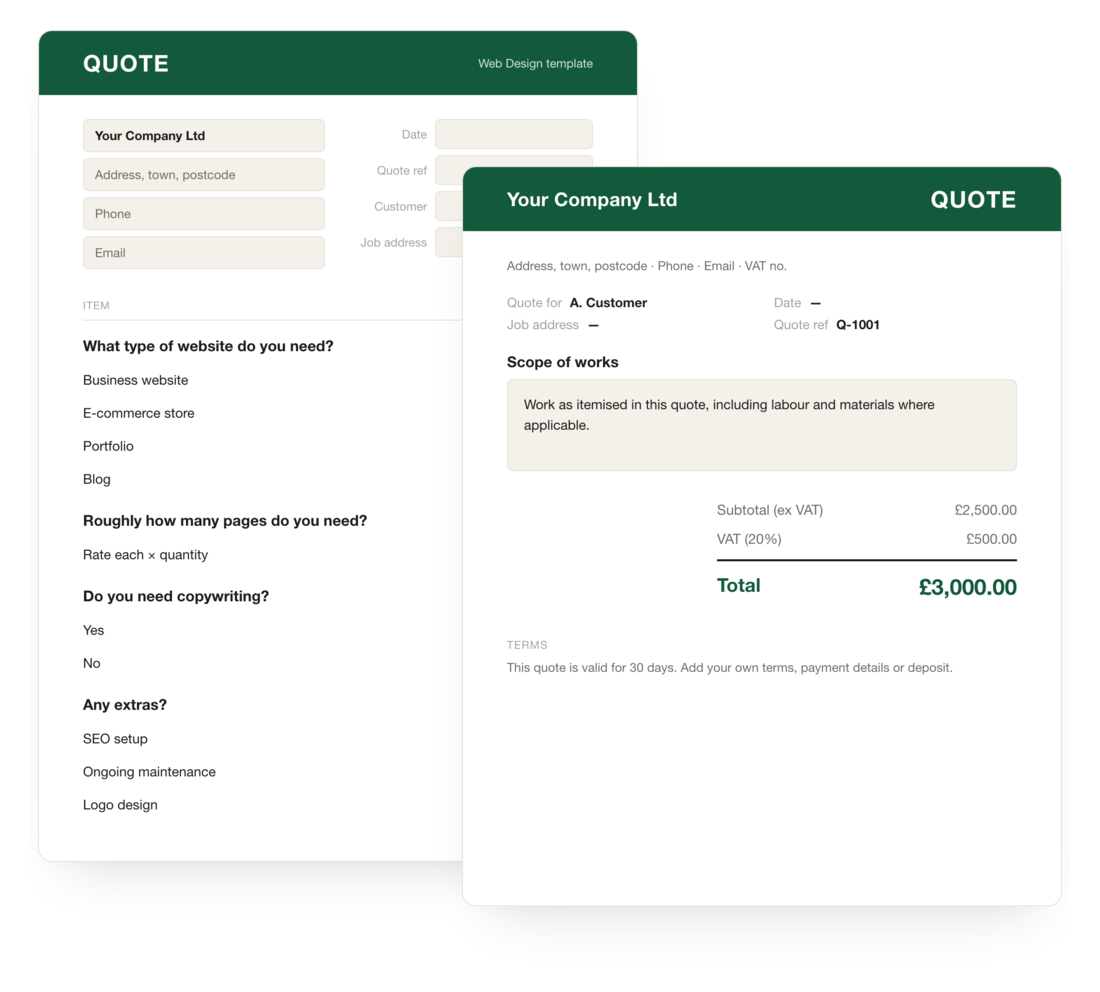 Just want the spreadsheet? £7
Excel with the pricing built in, plus a printable PDF. No account needed.
Just want the spreadsheet? £7
Excel with the pricing built in, plus a printable PDF. No account needed.
Not a screenshot
Nothing's submitted — pricing recalculates on every answer, exactly as a customer would see it. Open full screen →
This web design estimate template is designed to take the guesswork out of pricing and turn vague enquiries into structured, high-quality leads. Instead of back-and-forth emails trying to define scope, it guides users through the key decisions that actually impact cost. Ultimately, giving both you and your prospect clarity from the outset.
A clean, conversion-focused web design price estimate that helps you qualify leads, set expectations early, and turn enquiries into real projects. Built to showcase your services while guiding prospects through a structured pricing journey, so you spend less time estimating and quoting and more time closing.
Freelance web designers, agencies and studios who price projects by scope rather than by the hour. It works equally well for one-page sites, marketing websites, e-commerce builds and platform projects. The form scales the price up or down based on the answers, so a single template can cover your full service range.
What the form asks
4 questions by default, branching where the job needs it. Extend with any of Quotify's supported question types .
Make it yours in three moves
Not quite your trade? Describe your business and Quotify builds you a form from scratch.
Your questions, answered
Last updated 6 August 2026-
01 How should I price a web design project?
Most designers and agencies price by project scope rather than by the hour, because clients want certainty up front. The Quotify web design template uses scope-shaping questions (number of pages, level of design, functionality) to produce a realistic project price that scales with complexity.
-
02 Can I show pricing for different tiers (starter, growth, premium)?
Yes. You can configure tier-based pricing where each tier unlocks more pages, more design hours, or extra functionality like CMS integrations and e-commerce. The total updates live as the prospect changes their answers.
-
03 Should I display web design prices on my website?
It depends on your model, but a price estimator is a good middle ground: it gives prospects a realistic number without committing you to a fixed list price. See our take in should you display prices on your website.
-
04 Can the form qualify leads before they book a call?
Yes. The form collects budget, timeline, project type and required features, so by the time an enquiry reaches your inbox you already know whether it's worth a call. You can also route higher-budget enquiries to a different email or notification.
-
05 Do I need to know how to code to customise it?
No. Quotify is no-code: you build and edit the form, pricing logic and conditional questions through a drag-and-drop interface. No developer required.
-
06 Is there a downloadable web design quote template?
Yes. As well as the free online version, you can buy the web design quote pack as a spreadsheet for £7. It opens in Excel, Google Sheets or Apple Numbers, with the pricing maths already built in and a branded quote you can export to PDF. Buy once and it's yours to keep.